Author: Nashid Bashar

  • Optimize Your Pins : Pinterest SEO Strategy

    Optimize Your Pins : Pinterest SEO Strategy

    Pinterest is a strong platform in the fast-changing world of social media and search engine optimization (SEO). It is great for businesses and small businesses, as well as for people who want to reach more people. 

    To bring in more visitors and increase your visibility, you need a good Pinterest SEO strategy. This guide will help you learn how to improve your Pinterest presence and meet your marketing goals.

    Optimizing Your Pins for Maximum Visibility on Pinterest

    Pinterest is seen as a visual search engine, but it works differently than regular search engines like Google. While keywords are important in both, Pinterest SEO focuses more on how people engage with content through the search bar and how often it is shared. By learning these small details and using good optimization methods, you can really use this platform. This can help bring more visitors to your website or blog.

    To be successful on Pinterest, it is very important to create high-quality and engaging content. In the next sections, we will look at some useful strategies to improve your presence on Pinterest.

    1. Choosing the Right Keywords for Your Pins

    Keyword research is a key part of a good SEO strategy, and this applies to Pinterest too. By finding out what your target audience is typing in, you can create content that fits what they want. This will help your content get noticed more.

    Start by using Pinterest’s keyword research tool in the Ads Manager. Just enter some search terms that are related to your business. The tool will give you a list of related keywords and how often they are searched each month.

    When you pick keywords, choose a mix of broad and long-tail keywords to improve your ranking in Pinterest search results. Broad keywords like “fashion” or “recipes” get a lot of searches but have more competition. On the other hand, long-tail keywords such as “summer outfit ideas for women” or “easy vegan chocolate chip cookie recipe” are more detailed, have less competition, and are easier to rank for.

    2. Creating Compelling Pin Descriptions with Keywords

    While great visuals might grab a user’s attention at first, it is the pin description that gives context and encourages clicks. Writing strong and keyword-filled descriptions is key to reaching more people and making your pins more effective.

    When you write pin descriptions, focus on using natural language that is clear and to the point. Share the value of your content and highlight its benefits or important points. Use relevant keywords in your descriptions so they fit well within the text. Don’t load up on keywords, as this can make it harder to read and hurt your SEO.

    Think about what your target audience is searching for. What do they want? What issues are they trying to solve? Make your descriptions address their needs and give useful information. This way, they will be more likely to visit your website or blog post.

    3. Using High-Quality, Eye-Catching Images

    Visual appeal is crucial on Pinterest. Use top-quality images reflecting your brand’s style to attract users. The pictures should prompt clicks.

    Use clear, bright, high-resolution images with vivid colors. Adding concise text enhances user engagement. Experiment with various styles and layouts for user preferences.

    Vertical images perform well on Pinterest, occupying more feed space for better visibility during scrolling.

    4. Implementing Rich Pins for Enhanced Information

    Rich pins are a great tool that adds extra information to your pins. This makes them more interesting and useful for users. They automatically update data from your website to your pins. This means the information you show is always current.

    There are different types of rich pins, such as:

    • Product Rich Pins: These are best for online stores. They show live pricing, stock information, and product details. This helps users make smart buying choices right on Pinterest.
    • Recipe Rich Pins: These are great for food bloggers and recipe sites. They show ingredients, cooking times, serving sizes, and dietary info. This makes it easy for users to find and save recipes.
    • Article Rich Pins: These are made for bloggers and content creators. They include headlines, author names, and descriptions. This gives users the context they need and encourages them to read the full article on your site.

    To set up rich pins, you need to have a claimed website and add certain meta tags to your website’s code. After you enable rich pins, they improve the user experience. They provide helpful information that can bring more visitors and sales.

    5. Organizing Your Boards Thoughtfully

    Pinterest boards are more than just a mix of pins. They show off your brand’s style, skills, and what your target audience likes. It’s important to organize your boards well to make it easier for users and help with SEO.

    When you create boards, think about specific themes that fit your business and target audience. Use straightforward, clear, and keyword-rich board names that match the content inside, including the top search terms relevant to your niche. For example, instead of calling a board “Recipes,” you could use names like “Healthy Dinner Recipes,” “Easy Dessert Recipes,” or “Vegan Recipes.” This type of organization helps users find what they want quickly, making their browsing experience better.

    6. Pinning Consistently and Strategically

    Consistency is key for optimizing Social Media Posts. Regularly pin fresh content on Pinterest. Engage the audience, grow and reach. Plan a pinning schedule when your followers are online. Use tools like Hootsuite or Tailwind to plan ahead. Share pins from other sources relevant to your theme. Provide value and show leadership in your field. Quality over quantity is crucial. Pin engaging content that adds value and inspires the audience. Build a community through your posts.

    7. Engaging with the Pinterest Community

    Pinterest thrives on interaction and engagement among users. Building relationships and expanding reach is crucial to connect with a wider audience. Follow relevant boards and users, engage by liking, commenting, and repinning content. Join group boards to broaden your audience. Promptly respond to comments and messages to foster a community feel and portray a friendly brand image. Engage in conversations, answer queries, and participate in industry discussions to enhance visibility and cultivate brand loyalty.

    8. Analyzing Your Pinterest SEO Performance

    Analyzing how well your Pinterest SEO is doing is very important. This helps you know what is working, find areas to improve, and make smart choices for your strategy. Pinterest Analytics gives you useful info about key metrics. This allows you to track your progress and see how well you are doing.

    Key metrics to track include:

    • Impressions: How many times your pins were shown to users.
    • Closeups: How often users clicked on your pins for a closer look.
    • Saves: How often users saved your pins to their boards.
    • Link Clicks: How often users clicked on the links in your pins to check your website.

    By keeping an eye on these metrics, you will learn what kinds of content your audience likes. You will also see which Pinterest keywords bring the most traffic and how your overall Pinterest strategy is doing. 

    9. Leveraging Pinterest Trends for Greater Exposure

    Staying updated with popular topics boosts Pinterest visibility. Use Pinterest Trends to see current interests. Adjust your content to match trends.

    Find trending topics in your niche using Pinterest Trends. Add related words to pins and boards. Include seasonal trends too.

    For instance, if “fall fashion” or “holiday recipes” are trending, create related content. Aligning with trends enhances visibility.

    Trends evolve; keep learning and adjust content strategy accordingly.

    10. Incorporating Videos into Your Pinterest Strategy

    Pinterest offers more than static images with the rising popularity of video content. Incorporating videos into your Pinterest strategy is crucial for engaging your audience, leveraging the platform’s visual search engine, and expanding your reach.

    When creating Pinterest videos, prioritize brevity and visual appeal. Capture attention quickly by focusing on hot topics and using compelling visuals, storytelling, and calls to action.

    Experiment with various video styles like tutorials, demos, behind-the-scenes footage, or recipes to determine what resonates best with your audience while staying true to your brand’s aesthetic.

    Advanced Techniques for Boosting Your Pinterest SEO

    Once you understand the basics of Pinterest SEO, you can boost your strategy with advanced methods. These techniques help you improve specific parts of your profile. They also use Pinterest’s features to help you stand out. By using these advanced strategies, you will make your content more visible and get extra visitors to your website.

    Let’s look at some of these advanced methods:

    1. Maximizing the Use of Hashtags on Pins

    Hashtags help users find your content easily on Pinterest. Adding relevant hashtags to pin descriptions is key. Users can discover your content by clicking on hashtags, leading them to related pins. Avoid using too many or irrelevant hashtags, which may deter users. Opt for a few fitting ones instead. Use popular local hashtags wisely in descriptions and consider making unique hashtags for branding or campaigns. This enhances content visibility for users interested in your business.

    2. Optimizing Your Profile for Pinterest Search

    Your Pinterest profile is often the first chance you get to impress potential followers. It’s important to make it look good and easy to search. A great profile shows what your brand is about and what value you offer, which can also help in creating a memorable Pinterest profile URL. This way, more users will want to follow you and engage with your content.

    If you haven’t yet, create a business name account. Choose a clear and high-quality profile picture that represents your brand, like your logo. Write a short and interesting bio. This should show what makes your brand special and include relevant keywords. 

    For instance, a food blogger can use keywords such as “recipes,” “food photography,” or “healthy eating. Make sure your website is connected to your Pinterest account.

    3. Claiming Your Website and Verifying Your Account

    Claiming and verifying your Pinterest business account is crucial. These steps help build trust, provide analytics, and unlock advanced features. Claim your website in settings by clicking “Claim” and adding an HTML tag or file to your site. Verifying ownership adds a checkmark to your profile, boosting credibility and enabling rich pins for enhanced visibility and information.

    4. Utilizing Pinterest Analytics for Insightful SEO Adjustments

    Pinterest Analytics gives lots of info about your audience and how they engage with your content, including essential product information. These insights help adjust SEO for better outcomes. Look into Audience Insights to know their interests, active times, and Top Pin Performance to see which pins get the most attention. Keep an eye on Website Traffic to track clicks and popular content. Study successful pins to understand what works: image style, trending words, or linked content type. Use these details for future pinning plans.

    Common Pinterest SEO Mistakes to Avoid

    Even when you try your best, mistakes can happen that hurt your Pinterest SEO. Knowing these common errors and how to avoid them is key to making sure your content does its best and helps you succeed on Pinterest.

    Here are some common Pinterest SEO mistakes to be aware of:

    1. Overlooking the Importance of Board Names

    Board names might seem unimportant, but they actually help attract your target audience. They also inform Pinterest about what your content is. Make sure your board names are clear, short, and related to the pins inside them. Use relevant keywords to help people find them in search results.

    Think about your target audience when picking your board names. What words will they use when searching on Pinterest? Use words that connect with them and tell them what content is on your board.

    For example, if you are a fashion blogger making a board about winter outfits, don’t just call it “Winter Clothes.” Choose a name that is more specific and interesting, like “Chic Winter Outfits for Women” or “Cozy Winter Style Inspiration.”

    2. Ignoring the Power of Pin Descriptions

    Pin descriptions on Pinterest are crucial for user engagement and algorithm visibility. To make your pins stand out, craft interesting summaries with relevant keywords. Address your audience’s needs and concerns to drive traffic to your website effectively.

    3. Neglecting to Use Keywords in Pin Titles

    Just like Google, Pinterest users search with keywords. Content creators should use catchy titles with keywords. Pin titles are like short headlines. They grab attention and describe the pin using keywords. For instance, if you share a vegan chocolate chip cookie recipe, use those keywords in the title.

    The Role of Social Shares in Pinterest SEO

    Social shares are very important for Pinterest SEO. They help your content reach more people, get more engagement, and show the algorithm that your pins are valuable. Every time someone saves your pin to their board, your pin becomes more visible. This means it has a better chance of showing up in other users’ feeds.

    1. Encouraging Pinners to Share Your Content

    There are good ways to get more people to share your content, and using attractive visuals is a great way to reach more users. Make attractive, quality content people want to share. Use bright images, bold colors, and good design. Holding contests or giveaways can also increase shares. Ask users to repin for a chance to win something. Adding a call to action at the end of your pin descriptions is useful. Invite people to save the pin and ask questions or share thoughts in comments for engagement. More shares mean more visibility on Pinterest, reaching more people and bringing more visitors to your website.

    2. The Impact of Social Shares on Pin Visibility

    Each time someone shares a pin, it reaches more people. This can create a snowball effect. More people saving and sharing the pin will help it reach even further.

    When many save a pin, Pinterest’s algorithm thinks the content is good, helpful, and interesting. Because of this, Pinterest is more likely to show that pin in search results, category feeds, and the “Today” tab, where they highlight popular pins.

    So, social shares help to make pins more visible and increase their reach on Pinterest. By regularly creating content worth sharing and using effective tactics, you can take advantage of social sharing.

    Measuring the Success of Your Pinterest SEO Efforts

    Tracking the right metrics is very important for measuring how well your Pinterest SEO is doing. It helps you find areas to improve and show the value of your Pinterest marketing. By keeping an eye on these metrics, you can see how you’re doing over time, make smart choices, and always improve your strategy for the best results.

    Let’s look at the key performance indicators to focus on:

    1. Key Metrics to Track on Pinterest

    Pinterest Analytics gives you important numbers to understand how well you are doing. Make sure to keep an eye on these:

    • Impressions: This shows how many times your pins showed up in users’ feeds or search results. It tells you how far your content might reach.
    • Closeups: This counts how many times users clicked on your pins to look at them more closely. It shows how much interest your images create.
    • Saves: This measures how many times users saved your pins to their own boards. It shows how valuable and useful your content seems to them.
    • Link Clicks: This tells you how many times users clicked on links in your pins to go to your website. It helps you see how well Pinterest is bringing visitors to your site.
    • Engagement Rate: This tells you how much people interact with your pins.

    When you watch these numbers, you can figure out what kind of content your audience likes best, which keywords bring in the most traffic, and how your Pinterest plan is doing overall.

    2. Tools for Monitoring Pinterest SEO Performance

    In addition to using Pinterest Analytics, you can use some third-party SEO tools. They can help you check and analyze how well you are doing on Pinterest.

    Here are a few popular choices:

    • Semrush: This tool offers great keyword research and competitor analysis. It helps you see key insights about your Pinterest SEO and where you can improve.
    • Tailwind: This tool is famous for its scheduling and analytics. Tailwind helps you track how your pins are doing and figure out the best times to post for more engagement.
    • Pinterest Business Hub: This platform gives businesses useful features. It includes analytics, ad options, and insights into the demographics and interests of your audience.

    By using these tools, you can better understand your Pinterest SEO performance, find opportunities to grow, and make decisions based on data.

    Final Thoughts

    Pinterest SEO is a strong tool to help you be more visible online. Use the right keywords, interesting descriptions, and engaging images to improve your presence on this platform. Always interact with the Pinterest community. Check how well you’re doing and keep an eye on new trends to get the best results. 

    Avoid easy mistakes such as not using keywords in pin titles and ignoring the value of board names. Get people to share your content to reach more viewers. Measure your success with key metrics and tools that track your performance. By having a smart plan for Pinterest SEO, you can attract more people and bring traffic to your website effectively.
  • Video Content on Social Media : SEO Effect

    Video Content on Social Media : SEO Effect

    Enhance SEO with Video Content on Social Media

    In today’s tough digital marketing world, a strong SEO strategy is very important. Traditional methods still matter, but adding video content has changed the game. Video content is not just a trend anymore; it is now a key part of a successful SEO strategy.

    The Rising Importance of Video Content in SEO

    Video content is changing the way we get information online. It can share information in a fun and easy way. This makes it a powerful tool for businesses that want to grow their online presence.

    Search engines see the value of video content, too. They favor websites that have good and engaging content. Videos are great at holding viewers’ attention and keeping them on a page longer. This sends good signals to search engines, which can improve your SEO rankings.

    Why Video Content Dominates Social Media

    Video content is everywhere on social media, and there’s a good reason for it: it’s very engaging. Videos grab user attention more than text posts do as people scroll through their feeds. This better engagement can help boost your social media post presence.

    Videos are a powerful tool for telling stories. They let businesses connect with their audience in a meaningful way. Videos can show emotions, display products or services in use, and make brands feel more relatable.

    Plus, social media algorithms often promote video content, giving it more organic reach. These platforms always change to focus on content that keeps users engaged, and videos do just that.

    The Impact of Video on Search Engine Rankings

    Video content is very important for improving your SEO rankings. Search engines like websites with different and engaging content, and videos fit this description perfectly.

    Creating good-quality videos related to your target keywords makes your website more relevant and trusted. If you use video SEO the right way, it can help you rank higher in search engine results pages (SERPs). This leads to more visibility and organic traffic to your website.

    A well-optimized video on your site can also reduce bounce rates. When users stay on your page longer, it shows search engines that your content is useful and interesting. This helps improve your website’s overall SEO performance.

    Understanding SEO for Social Media Platforms

    The basic rules of SEO do not change, but optimizing your content for social media platforms takes a different style. Social media SEO is different from regular SEO in important ways. These differences affect how you shape your strategy for these special platforms.

    To use the benefits of social media for SEO, you need to know these differences and adjust your methods like that.

    How Social Media SEO Differs from Traditional SEO

    Both social media SEO and traditional SEO work to increase visibility and attract organic traffic, but they have different focuses. Traditional SEO mainly targets search engine algorithms to improve a website’s position in search results.

    In contrast, social media SEO focuses on making content perform better on social platforms. This means you need to understand what factors affect how your content is seen and shared on each platform.

    Every social platform has its own set of algorithms that decide how to show and rank content. It’s important to shape your content strategy to fit these algorithms. This helps you get the most visibility and drive organic traffic from social media.

    Key Factors That Affect Your Social Media SEO

    Several important factors can affect how well your SEO works on social media. It is important to know these factors so you can make your content better for ranking on social media sites and search engines.

    First, just like in regular SEO, doing keyword research is very important. Find keywords that your target audience relates to. Use these keywords naturally in your video titles, descriptions, and captions.

    • Relevance: Make videos that match what your target audience is interested in and what they are searching for.
    • Engagement: Create appealing videos that drive likes, comments, shares, and more interaction.
    • Consistency: Stick to a regular posting schedule. This keeps your audience interested and shows algorithms that you create valuable content.

    Strategies for Creating Effective Video Content

    Creating good video content requires a smart approach. It’s not just about pressing the record button. To keep the audience interested, you need to connect with them in a real way. You should also offer them useful and informative information.

    When you tell a story, use eye-catching visuals, and organize your video clearly, you can make content that speaks to your target audience. This helps to encourage people to share and interact with your videos.

    Tips for Crafting Compelling Video Narratives

    Crafting a good story is important for creating video content. Storytelling helps you connect emotionally with your audience. This connection leaves a lasting impression and helps build brand awareness. A well-organized story keeps viewers interested from beginning to end. It also highlights the main message you want to share.

    Start with a strong hook that catches attention right away. This will show the purpose of your video. Knowing your target audience well helps you create a message that speaks to their interests and challenges.

    Lastly, make sure your video has a clear call to action. This guides viewers on what to do next. Whether it’s to subscribe to your channel, visit your website, or learn more about your product, a strong call to action is essential for a successful content strategy.

    Best Practices for Video Production and Editing

    Following video marketing best practices during production and editing can improve your type of content. Investing in good lighting and sound equipment is a great tool in enhancing video quality, as it is important. It can greatly enhance the quality of your videos. This helps your videos look more professional. As a result, viewers are more likely to see your content as trustworthy and engaging.

    When editing, keep it short. Remove any extra content and create a fast-paced video. This helps keep viewers interested. Use background music, sound effects, and transitions carefully. They should add to, not take away from, the main message.

    Remember, a well-made video shows professionalism and care. This can greatly affect your brand’s image and improve your video marketing success. High-quality content is usually shared more often. This leads to better visibility and the chance to earn quality backlinks to your website.

    Optimizing Video Content for Social Media

    Optimizing your video content for social media, including YouTube videos, is a good idea as it helps your videos meet their full potential in email marketing strategies. You should think about the different features and best practices of each platform, including how to effectively integrate content from your blog posts. Adjust your optimization plan to fit each one. This means knowing the character limits for descriptions, using the right hashtags, and improving your video thumbnails.

    By spending time and effort to optimize your videos for social media, you can see better visibility, connect well with your target audience, and improve the overall return on your video marketing investment.

    Essential SEO Techniques for Videos

    Essential SEO can boost video visibility. Create video transcripts for broader accessibility. Transcripts help hearing-impaired audiences and aid search engines in understanding content, potentially enhancing search result rankings.

    Another vital aspect is adding alt text to videos. Alt text describes video content to search engines and aids visually impaired users.

    The Role of Captions, Tags, and Descriptions

    Captions, tags, and descriptions are very important for making your video more visible to a wider audience. They help it perform better on social media and search engines. Closed captions are vital for accessibility. They ensure that viewers who are deaf or hard of hearing can enjoy your video. Captions also help people watch videos in quiet places without losing the message.

    Tags organize your video content. They allow platforms to see what your video is about and show it to users who would be interested. Descriptions give a brief summary of your video, drawing in viewers and helping them understand the video benefits.

    In summary, using captions, tags, and descriptions will help your video content reach a larger audience. This also improves the user experience for everyone who watches your videos.

    Measuring the Success of Your Video SEO Strategy

    It’s important to check how well your video SEO strategy is working. You want to make sure it fits with your marketing goals. This means looking at more than just views and likes. You should also see how your video content helps your business goals.

    By keeping an eye on these metrics, you can learn what your audience likes. You can spot where things need to improve. This will help you make smart choices to improve your video content strategy.

    Key Performance Indicators (KPIs) to Track

    Key performance indicators, or KPIs, are important for measuring how well your video content works on social media and assessing social media performance. You should track metrics like engagement rates, click-through rates, conversion rates, and shares. These metrics can give you valuable insights into your SEO strategy, especially as Google’s algorithms are increasingly prioritizing video content and likely influences Google’s selection system. Keeping an eye on these KPIs helps you improve your video content for better SEO rankings and more organic traffic. By looking at KPI data regularly, you can make smart choices to boost your social media presence and increase your brand visibility. Using KPIs is vital for getting the most out of your video content on social media platforms.

    Tools and Software for Analyzing Video Performance

    A variety of tools and software is ready to help marketers analyze videos deeply. These platforms give important insights about how your videos are doing. You can track key performance indicators (KPIs), see how audiences behave, and make decisions based on data.

    Social media platforms like YouTube and Facebook have strong Social Media analytics dashboards for videos you upload. These dashboards show information like views, watch time, and audience details. This helps you adjust your content strategy for your target audience.

    By using these strong tools and software, you can fully unlock the potential of your video content strategy.

    Final Thoughts

    In conclusion, using video content on social media is very important for improving SEO and boosting your online presence. Videos are taking over social platforms and have a big impact on search engine rankings. They also engage audiences in a great way. 

    It is important to understand social media SEO and to optimize your video content with the right tags and captions. By telling strong stories and following best practices in production, you can attract more visitors and improve visibility. 

    Track your success by watching KPIs and using analytical tools to keep improving your video SEO strategy. Stay ahead in the digital world by using the power of video content to get the best SEO results.

  • Why Dentist Service Providers Need SEO?

    Why Dentist Service Providers Need SEO?

    Bringing in new customers is essential to your dental practice’s success. You would like to have your office seats packed with prospective clients rather than empty. SEO for dental practices, like any other successful company, is essential for expanding your customer base and attracting the attention of potential buyers.

    Your dental office website needs dentist SEO  to appear at the top of Google’s search results. Otherwise, your online dentistry marketing is lacking.

    Want to know why?

    Because:

    Think With Google reports that in the last two years, mobile searches for “___ near me today/tonight” (e.g., “dentist near me” or “orthodontist near me”) on Google have increased by more than 150%.

    Launching your dental business on a back street without signage or informing anybody of your presence requires optimizing your website for search engines. How can people locate you if they need medical attention? Digital marketing and search engine optimization for dentists come into play here.

    The Power of SEO for Dentists

    Search engine optimization (SEO) aims to raise your practice’s profile in SERPs, but why is it so important? In what ways may dentists benefit from SEO? Most individuals (75%) looking for a dentist online only look at the results on the first page of Google. People put considerably more faith in greater organic returns in 2023. 

    Search engine optimization (SEO) is a powerful tool for dentists since it helps bring in new patients. However, there is a great deal more to clarify there!

    Search engine optimization (SEO) is the foundation of every cutting-edge dentistry practice’s internet marketing plan. Search engine optimization is essential for dentists in 2024.

    Increased organic traffic and website visits

    Recent studies have shown that organic (unpaid) search accounts for 53% of all website traffic. It might be much more for your particular area and website. For two reasons, in particular, this is crucial:

    The greater the volume of visitors to your website, the higher the probability that someone may decide to schedule an appointment with you.

    As an inbound marketing strategy, search engine optimization (SEO) for dental offices makes it easier for prospective patients to discover you when they need you, rather than you having to reach out to patients voluntarily. 

    This leads to improved conversion rates and higher-quality leads, which are the clients you want most.

    Are there any additional benefits to investing in dentist SEO? According to the research, searchers increasingly ignore paid advertisements in favor of the most relevant organic results.

    If more people visit your website, you have a better chance of convincing them to schedule a dental appointment.

    As an inbound marketing strategy, search engine optimization (SEO) for dental offices makes it easier for prospective patients to discover you when they need you, rather than you having to reach out to patients voluntarily. This leads to improved conversion rates and higher-quality leads, which are the clients you want most.

    Improved local search ranking and visibility

    You may be surprised to hear that about 70% of clicks occur in the first five results of a search engine. Dental practices risk losing hundreds of potential customers and thousands more in income if their websites don’t appear in the top five search results.

    More targeted visitors will find your website if you work on your local SEO and raise your search engine rating. Consequently, you may increase your conversion rate, number of appointments scheduled, and revenue without significantly increasing your marketing expenditure.

    Local SEO for dentists boosts your exposure in two ways—first, by boosting your rank—and second, by increasing the chance that your website will rank for a specific keyword, phrase, or query (such as “dentist near me.”) via trusted online directories and on-site content.

    Attracting new patients actively searching for dental services

    To make an informed purchase, 81% of customers use the internet to investigate their options, according to Hubspot. If you’re looking for a dentist or other local service, 97% of people say they look online. Every day, people are looking for dental services similar to yours online.

     Are they discovering you or your rival, though? That is the actual question.

     Being online isn’t enough for dental SEO; you also need to make sure people notice you when searching for your services. Can you stay behind the curve when many people use search engines to get answers?

    Dental offices may use search engines for attracting new patients with SEO. In a digital marketing environment, when the expense of sponsored ads increases, search engine optimization (SEO) stands out as a cost-effective and ROI-maximizing alternative. 

    Building trust and credibility with potential patients

    People tend to go with the dentists who show up at the top of Google’s recommended results, and there’s a good reason. And Google concurs! 

    It’s a self-perpetuating cycle: people are more inclined to trust your practice and visit your website if you appear higher in search results. 

    The greater the volume of clicks, the greater the credibility and confidence that Google will place in your source, increasing your visibility in search results.

    Cost-effective marketing compared to traditional methods

    Optimizing a website for search engines is a great way to promote a dental practice without breaking the bank. Spending less on advertising and marketing is possible with its support.

    Commercials on television and print ads may be costly, and there needs assurance that they will bring in new patients.

    When you use SEO, you’ll only ever have to pay for the dental digital marketing services you really use.

    Your website’s optimization will allow you to effortlessly retain a better search engine rating after you get it.

    You need to produce new information regularly and maintain your website current. If this means a steady stream of new patients via dental SEO, then it’s a minor price to pay.

    Get the ball rolling on your dental SEO to expand your business and bring in new customers without spending a fortune.

    Enhancing patient experience through informative content

    Your website’s engagement and retention rates will increase due to an improved user experience. If patients don’t encounter any technological difficulties while browsing your website, they will be more inclined to spend more time learning about your clinic.

    The best way for a dental office to become known as a trustworthy resource for patients is to have informative and helpful content about the clinic, its employees, and the services it offers easily accessible online. If you want to do the same thing, you should optimize and update your Google Business Profile.

    Solving Specific Dental Practice Challenges

    In today’s dynamic digital world, companies from all walks of life use the internet to increase their exposure and connect with more customers. The dental industry is no different from any other in its pursuit of a strong web presence for patient acquisition and retention. Nevertheless, there are unique difficulties associated with this undertaking.

    Let’s take a closer look at dental businesses’ unique internet issues and see how Dental SEO may help.

    Attracting patients in specific locations (local SEO)

    Nowadays, it takes work to run a dental office. The rat race has ensured everyone in your neighborhood and the ones around have access to a wide range of choices.

    Did you know that 60% of people look it up online before making an appointment?

    In the healthcare industry, patients who use an online directory to find a dentist in their area are far more likely to schedule an appointment.

    Also, did only 0.63 percent of search engine users really get to the search result’s second page? So, go with your local SEO if you want people to flock to your dental practice.

    Targeting ideal patients based on service needs (keyword research)

    What are some ways to draw in new dental patients?

    This is a typical concern when dental practices aren’t seeing the number of people they’d want. There has yet to be much success in their attempts to bring in new patients despite their best efforts. Their goal is to increase patient traffic, thus they are exploring new SEO avenues.

    As a dentist or dental practitioner, you know how important it is to attract new customers. Establishing a robust online presence (website, social media, and search engine company listings) is crucial, as most people look for dental services online.

     In this case, search engine optimization (SEO) for dental offices is useful.

    Your dental office may get greater visibility and clientele via search engine optimization of your website.

    Regarding search engine optimization (SEO) for dentistry practices, keyword research is essential for attracting more people. Dentists may boost their online presence and increase customers by optimizing their website content to include the most lucrative and relevant keywords for their business.

    Extensive keyword research can help you find the best, most valuable dental-related keywords. Pay close attention to geo-targeted phrases like “dentist near me” and “dental implants [city name].”

    Building trust and expertise through credible content (dental blog)

    Performing your expert dental or oral surgical procedures is your day-to-day job. Whether you want to stay in practice for the foreseeable future or are considering selling, it is essential to have an effective advertising strategy to draw in patients, highlight your expertise’s worth, and entice purchasers in the event of a sale.

    Creating informative material is crucial for building your practice’s reputation and drawing in prospective patients and business associates. By writing blog posts, papers, videos, or podcasts that share useful information, you can become an expert in your area, such as full-arch dental restorations, general dentistry, braces, etc. 

    Creating informative material is crucial for building your practice’s reputation and drawing in prospective patients and business associates. By writing blog posts, papers, videos, or podcasts that share useful information, you can become an expert in your area, such as full-arch dental restorations, general dentistry, braces, etc. 

    Producing informative material showcases your extensive knowledge, exceptional skills, and dedication to educating patients. Prospective clients and business associates will have faith in your practice because of its assurance.

    Standing out from the competition with unique website optimization

    Envision your dentist’s office as a warm, inviting space free of clutter. To continue, picture your website as an online version of your medical practice. Patients have the exact high expectations for their online experience as they have when they visit your physical clinic. 

    Potential patients will have a simpler time finding and navigating your site if it is SEO-friendly, guaranteeing a smooth experience. In order to rank highly in search engines, your website must be user-and search engine-friendly. This means that your site must be accessible for both humans and the bots that search engines use to index and crawl websites.

    You would only open your dentist’s office to patients if it was clean, old, and uncared for. However, new patients may have the same negative opinion of your website if you still need to prioritize user experience.

    You don’t have to hire a professional web creator to update your site. But you should ensure it looks clean, professional, and easy to use. It should also include links to your social media accounts and relevant content to keep people interested.

    Measuring and tracking SEO success for ROI

    The success of any dental online campaign is directly proportional to its SEO ROI for dentists. Your SEO budget should be based on an accurate assessment of your existing return on investment (ROI) and strategies to improve it.

    The strategy’s intricacy is the main obstacle to calculating the return on investment of dental SEO. The number of leads that convert into patients determines lead generation‘s return on investment (ROI).

    For example, let’s say that one hundred leads were generated by your lead-generating strategies and sent to your website. It may seem like a great outcome, but the return on investment (ROI) will be modest if just one individual becomes a patient. The return on investment (ROI) becomes much more remarkable when 30 leads turn into patients. 

    Dental Economics revealed that over half of dental offices need to monitor the efficacy of their advertising campaigns adequately. Our evidence suggests that it’s closer to 90%, with the other 10% being misleading. You risk losing half or more of your investment if you don’t use tracking. 

    Let’s examine a case in point. Suppose your group is now working on a dental return on investment (ROI) analysis for a recent marketing campaign you ran to promote root canal treatments; this effort is primarily aimed at improving your local SEO.

     Search engine optimization (SEO) return on investment (ROI) for dentistry offices may be better understood using several methods to collect relevant data. With this data, get a bird’s-eye perspective of key performance indicators, including keyword ranks, organic traffic, and revenues. 

    You can compare your online exposure before and after your SEO efforts with this focused dental ROI strategy. You can also see how online engagement changed in your local neighborhood. This data will give you a good idea of how much money you made from SEO-generated conversions. Combining all this information allows you to evaluate your ROI, compare results, and make a well-informed choice.

    Getting Started with Dental SEO

    For your dental office website ranking, it needs to appear at the top of Google’s search results. Otherwise, your on-page optimization is lacking.

    For dentists looking to launch a technical SEO marketing campaign, we built an easy-to-follow framework and dental SEO pointers. There is a lot of information to go through, so make sure you read up on each stage.

    Basic steps for implementing an SEO strategy for a dental website

    Dental SEO, or search engine optimization, is an ongoing marketing campaign targeting patients actively seeking dentists in their area.

    You may sleep well knowing that your optimized website will continuously bring in new patients and leads.

    Get your dentistry office seen in your area with these simple but powerful search engine optimization tactics.

    Build A Website 

    When it comes to dentistry websites, WordPress is where it’s at. WordPress sites are adaptable and scalable, displaying and functioning flawlessly across mobile and desktop devices. 

    The next step is ensuring search engines can access and understand your website. That includes avoiding media-heavy technologies like Flash, Silverlight, iFrames, etc.

    There are several other crucial SEO information located in your website’s backend, such as:

    • URLs
    • Descriptions and names for meta tags
    • Size of images and videos Alternative wording for images
    • How long it takes for a page to load
    • No inactive links

    For every page of your website, mention all of these items.

    Search for Regional Keywords

    Maximize the potential of your dentistry website by focusing on local keywords. That includes using expressions peculiar to a particular place, such as “dentist in Los Angeles” or “dental offices in NYC.”

    If you do this, more people in your region seeking dental services will see your listing in search results.

    Optimizing for local keywords will increase your visibility to prospective patients and make your business seem more credible to search engines.

    If your website is highly relevant to a searcher’s query, it will rank higher in search results. This is because relevance is a significant ranking criterion for SEO.

    Create engaging content that is optimized for keywords

    Google values applicable, trustworthy, and people-first content on websites. For successful content marketing, you should create patient-centered (rather than self-centered), answering frequently asked questions according to patient acquisition. 

    Optimizing your content for specific keywords is the first and foremost SEO consideration. 

    To do this, you need to find relevant keywords and include them in your website’s page titles, meta descriptions, and content.

    Improve Your Local SEO

    Regarding advertising, local search engine optimization is among the best options for mom-and-pop stores.

    Patients ready to schedule an appointment will find your dental practice more easily if you optimize your website for local searches.

    You can boost your site’s visibility in localized search engine results pages (SERPs).

    We covered this before, but picking the right keywords is the first step in improving your local SEO.

    Develop Content with Location-Based Keywords Reinforced You should include your primary location-specific keywords in your website material once you have compiled a list of them.

    Get Your Site Localized With Landing Pages Like any other page on a website, a local landing page serves its purpose. They are, however, tailored to entice people from a given region.

    You should include essential details about your dental office here, such as your address, phone number, and hours of operation.

    Landing page material should also use locally targeted keywords.

    An efficient strategy to boost local SEO and draw in patients from certain regions is to build local landing pages.

    Incorporating keywords related to location services and local search engine optimization (SEO) for your website requires careful consideration of your many services.

    Therefore, it is insufficient to use the terms “dentist” or “dental services” in the text and URLs of your website.

    If you provide root canal therapy, teeth whitening, porcelain crowns, or any other service or product, be sure to include relevant keywords when advertising them.

    Optimize Your Google My Business Profile

    Google My Business (GMB) is an effective tool for local practitioners because it manages your dental office’s visibility in Google Search and Google Maps.

    You may expect people to see your GMB profile when they look for local dental offices, so it must be accurate and comprehensive.

    For the best results with your GMB profile, consider the following:

    • Please select the appropriate field in which you work. For dental practices, this would be “Dentist” or “Orthodontist. “
    • Complete the NAP with your company’s name, address, and number. Use similar NAP information throughout your online listings, including your website, to keep your brand consistent.
    • Write a company description that makes use of pertinent keywords.

    Ensure that the images of your business, employees, and equipment are of excellent quality.

    • To boost your GMB profile, ask your patients to submit reviews.

    List Your Practice on Popular Dental Review Sites

    Any online reference to your practice is considered a local citation. Although a link to your website isn’t necessarily required, your name, contact information, and address must be included in these citations.

    Resources and tools to help dentists with SEO best practices

    Dental clinics may greatly benefit from implementing SEO tools such as SEMRush and Ahrefs. By analyzing your dental website’s performance with these tools, you may discover where it’s falling short and how to fix it. 

    SEMRush and Ahrefs analyze hundreds of data points to provide detailed statistics on your site’s traffic, keywords, and search engine rankings. With this data in hand, you can hone your dental SEO approach, enhance the content of your website, and rise to the top of search engine rankings. To keep ahead of the competition and bring in new patients, you need reliable partners like Ahrefs and SEMRush.

    Advice on choosing the right SEO provider for your needs

    SEO success stories for dentists are not uncommon and serve as a testament to the power of effective SEO strategies. These success stories highlight how dental practices have improved their online visibility, increased their ranking on search engine result pages (SERPs), and attracted more patients to their clinics.

     By implementing a comprehensive SEO plan, there will be significantly increasing website traffic for dentists, resulting in more appointments and conversions. These success stories demonstrate the importance of incorporating SEO for dentists into their overall marketing tactics and making it a priority for their dental practices.

     With the right SEO services and the right SEO strategy, dental websites can establish trust with customers, gain credibility in their locality, and ultimately grow their patient base.

    Conclusion

    Digital marketing and online visibility continue to grow in importance. SEO is a key for improving online marketing for dental clinics. By now, you should know what goes into dentist SEO  and how to optimize your practice’s online presence. 

    Improve your online exposure and bring in more patients by enhancing your website’s user experience, addressing search engine optimization mistakes, optimizing content, creating backlinks, and employing optimization tools. Dental offices may easily gauge the success of their SEO campaigns by monitoring key performance indicators (KPIs) using tools such as Google’s Search Console and Google Analytics.

     Using local SEO strategies, such as optimizing their Google Maps listings and utilizing online directories, dental offices can effectively reach their local audience and improve their search engine results. Dentistry clinics may maintain a competitive edge by keeping abreast of search engine optimization (SEO) developments and changes.

     To wrap things up, in this digital age, dentistry SEO is crucial. If you want more people to see your ads, more patients, and more company development, this is what you need. Success in the cutthroat dentistry sector is within reach for clinics that put resources into search engine optimization (SEO) and use the correct methods, tools, and tactics.

  • Common SEO Mistakes to Avoid for Startups

    Common SEO Mistakes to Avoid for Startups

    Do you want to discover what small company SEO blunders to steer clear of?

    When you’re a solopreneur operating a small company, you’re juggling several responsibilities, including search engine optimization (SEO) and lead generation. 

    As a small company owner, you wear several hats; if you make a marketing faux pas, it will reflect in your search engine rankings, which will cost you both time and money.

    Here we’ll go over some of the most typical SEO mistakes for startups.

    Seo And Its Significance For Startups

    You may rank higher in search results, increase organic traffic, and eventually, generate more income by adhering to on-page, off-page, and technical SEO best practices. The vast and ever-changing realm of search engine optimization is rife with words like technical SEO, on-page SEO, and off-page SEO. But they’re all crucial in their own ways. 

    The three forms of search engine optimization—on-page, off-page, and technical—are similar and distinct in many ways. These phrases are the first and most important considerations for SEO experts because they have the power to boost your company’s visibility and SEO  performance if optimized properly or to have no impact at all if not.

    On-Page SEO 

    The goal of on-page SEO for startups is to improve your website’s visibility in search engine results by making small but significant changes to individual pages. Surely it is the essence of search engine optimization. Yes, you are somewhat right; it is. While off-page SEO focuses on external factors, on-page SEO is concerned with internal factors.

    Off-Page SEO 

    Improving a website’s or page’s SEO without directly modifying the code is known as off-page SEO. When it comes to search engine optimization (SEO), this is, in fact, the same goal as on-page SEO. Both on-page and off-page SEO are fundamentally the same and accomplish the same goals. But their methods for doing this are quite different.

    Technical SEO 

    For search engine optimization purposes, “technical SEO” means using a more analytical and data-driven approach to raising a site’s profile in SERPs. In contrast to on-page and off-page SEO, which focus on things like content and external variables, respectively, technical SEO deals with the technical parts of a website that impact its search engine results. 

    To make sure technical SEO is successful, you need to optimize and update essential factors like site performance, indexing, website structure, and much more regularly.

    Without avoiding SEO errors of these three pillars might cause your rankings to plummet.

    Common On-Page SEO Mistakes

    On-page SEO refers to the practice of optimizing individual web pages to rank higher and earn more relevant traffic in search engine results pages (SERPs). Here are some common beginner SEO mistakes to avoid: 

    Keyword Stuffing: Misusing keywords in content

    Overusing keywords in an attempt to manipulate search rankings is a black hat SEO technique. Also it can result in penalties from search engines. It’s important to use keywords naturally and in a way that adds value to the content.

    Poor Quality Content: Impact of low-value content on SEO

    Search engines value high-quality, informative content that provides value to the user. When your content is weak, badly written, or of low quality, search engines may punish you and lower your ranks. Lower rankings are in store for you if you’re required to match content pieces that are verbatim copies of articles found on other websites. Google’s bots can’t tell the original from the clone. 

    Forecasts indicate that 50% of websites have issues with matching material. When feasible, fix the duplicating material if yours is one of them. Swap it out for very unique and high-quality material.

    Neglecting Meta Descriptions and Titles: How they influence click-through rates

    Search engines and people alike rely on meta tags—which include the title tag and the meta description—to inform their decisions about which websites to include in search results and which ones to ignore. On every page of your website, you should provide a meta tag that describes the content.

    Off-Page SEO Errors to Avoid

    SEO strategies used externally to your website, or “off-page SEO,” are what really raise your site’s visibility in search engine results. Some typical off-page SEO mistakes are as follows:

    Ineffective Link Building Strategies: The pitfalls of poor backlink practices

    Instead of focusing on getting a large number of low-quality links, be sure to emphasize high-quality connections from reliable sites. Links of poor quality might lower your website’s search engine rating. Providing backlinks to unrelated sites in return for a link or guest posting on low-quality websites are examples of spammy, irrelevant connections.

    Buying backlinks from spammy or low-quality websites might penalize your website or even remove it from SERPs. Ugh. Your emphasis should instead be on creating high-quality backlinks from reputable and relevant websites.

    Ignoring Local SEO: Importance of local SEO for startups

    If your company provides a service or depends on customers walking in, local search engine optimization should be your top concern.

    Search Engine Optimisation (SEO) with a local emphasis raises your company’s profile in local search results, drawing in more local clients. Nowadays, a lot of people look for local services online, so it’s more vital than ever to make sure your company stands out.

    Just picture your company’s visibility at the very top of search engine results pages, drawing in a constant flow of people who are looking for what you provide. You can increase foot traffic and establish a solid reputation in your town using local SEO, which will lead to loyal consumers and long-lasting partnerships.

    Technical SEO Pitfalls

    Your website’s technical health has a significant effect on your rankings and visitors. Good search engine optimization (SEO) entails more than just tidying up your backlinks and writing clean material. 

    You may spend all the time and energy in the world working on organic search engine optimization and increasing traffic, but it will all be for nothing if your website can’t handle the technical requirements set by search engines like Google. 

    Doing technical SEO isn’t always easy. 

    No content management system (CMS) is perfect, even the most user-friendly ones like WordPress have their limitations. As your sitemap, permalinks, and number of possible backlinks grow, you’ll start to notice some of the SEO technical errors. 

    To rank well or not at all on search engine results pages, you need to keep an eye on its SEO pitfalls for new businesses. 

    Website Speed Issues: How loading times affect rankings

    Page speed is more crucial than ever in 2024. 

    Having websites that load quickly is crucial since it impacts everything from search engine rankings to conversion rates. Website and page loading speeds are becoming major factors in search engine optimization.

    Google does not want to disappoint consumers with results that take too long to load. Therefore they implemented this measure. They’re making an effort to show you results from the most relevant and suitable websites.

    Search engines include website speed in their ranking algorithms because they believe it to be a significant aspect of user experience. Websites with lower loading times and lower bounce rates tend to rank lower in search results, as search engines prioritize faster sites that provide a better user experience.

    So, you see, increasing your page speed will have a multiplicative effect on your search engine rankings, user satisfaction, and conversion rates.

    Mobile Unfriendliness: The necessity of a mobile-responsive website

    These days, mobile devices account for the vast majority of website traffic. Websites that are mobile responsive may automatically change their design and content to look great on all kinds of devices, from desktop computers to tablets to smartphones. With the use of CSS media queries, fluid grids, and pliable pictures, a mobile adaptive website can recognize the screen size of the user’s device and tailor its style and content appropriately. 

    Google began including mobile-friendliness as a desktop and mobile ranking criteria in September 2020. To rule out issues with design or layout, look for pages with poor mobile performance. A website’s indexability and, by extension, its future rankings, are very susceptible to these factors.

    Ignoring HTTPS Security: The importance of website security for SEO

    By using HTTPS, your site and your visitor’s browser may safely exchange encrypted data. Hackers, phishers, and viruses cannot access your site because of this. For search engines and consumers alike, it conveys credibility and reliability. 

    Google may alert consumers if your site does not utilize HTTPS, which is a ranking factor. A third-party firm or your hosting provider may supply you with an SSL certificate, which is necessary to utilize HTTPS. You should also update all of your links, both internal and external, and change all of the HTTP URLs to HTTPS.

    HTTP server is one of the most prevalent problems that websites are experiencing Error 404. If your site is missing pages, this problem can really ruin the user experience.

    People take it as a red flag when they click on a link and then they see a page that doesn’t exist. In addition to being visually unpleasant, 404 errors may damage customer confidence in your brand.

    You may see a significant drop in traffic if this issue persists. It gets worse: it may halt users’ progress as they browse, which in turn lowers conversion and, ultimately, profits. Your search engine rankings might be at risk if you do nothing soon to fix the problem.

    Content Marketing Mistakes

    Another point that we often overlook is content marketing for startups. Without this it’s hard to maximize your technical SEO offerings to benefit the clients and team. It is becoming more critical to ensure the technical soundness of information when your company or customers distribute it around the web. 

    To maximize the return on investment (ROI), technical SEO should underpin all content marketing initiatives. You run the danger of missing out on link possibilities, having minor mistakes magnified, or even suffering a Google penalty if you don’t have it.

    Not Aligning Content with Audience Needs: Understanding target audience

    When developing a content strategy, knowing your audience and what they care about is the first and essential step. The greatest approach to finding out what your prospective clients value is to do good audience research. Once you know what people need, you can create content that gives it to them. 

    There are several simple and inexpensive ways to find out who your audience is. Some examples include doing keyword research, browsing through appropriate discussions for the most popular articles, and monitoring your competition.

    A related point to consider is that the relevance your intended audience perceives might shift over time. Since user intent is dynamic, doing audience research should be a continuous process.

    Interesting material also changes with the seasons for a lot of companies. Depending on the subject and kind of information, its effectiveness could rise or decrease with time. 

    If you own a lawn care company, for instance, you should publish summer-themed articles and how-to instructions about maintaining the healthiest grass possible.

    More people will be interested in reading articles on winter lawn care and spring preparation in the winter. 

    Though it may seem basic, a typical content marketing error is marketing teams failing to comprehend the desires of their primary audience and creating unrelated material at the incorrect moment.

    The greatest way to prevent wasting time and energy creating content that nobody will watch is to do thorough audience research.

    Neglecting Content Promotion: Ways to effectively promote content

    Search engine optimization (SEO) and effective content marketing go hand in hand. The people you’re trying to reach must have faith that the material you’re creating will address their problems. There are a lot of guidelines that content marketing should adhere to, much like content development.

    Determining exactly what it is that your target audience needs and how your content might meet that need is the first step. 

    Once you get their attention, the next step is to employ the right search terms and phrases to rank well enough, regardless of the platform you use to market your material, to make your content stand out.

    Content promotion strategies that include email marketing, social media, and more conventional forms of advertising may provide excellent results. Instead of trying to convince your audience to purchase anything, content marketing should highlight how your material may alleviate their problems and provide answers. 

    Keyword Research and Utilization

    One of the cornerstones of a successful local SEO plan is keyword research. You can optimize your traffic-generating strategies when choosing the ideal keywords. When making SEO judgments, keyword research will play a major role.

     Still, you may utilize the information to your advantage when it comes to content promotion, social networking, and video production. Even though most marketers will do some keyword research, they often make blunders. While the Keyword research mistakes won’t necessarily derail a startup SEO strategies, it’s still in your best interest to avoid them if you aim for high search engine results.

    Targeting Highly Competitive Keywords: Strategies for finding the right keywords

    A large number of broad keywords with strong search traffic will make up the majority of niches. Because of the high volume of visitors they would generate, these keywords might be rather appealing. 

    However, due to the diverse demands of searchers, you can discover that these popular phrases do not translate very effectively. Keywords with moderate to low search volumes should also be your goal, even if targeting these prominent phrases might be effective. These phrases may generate a lot of traffic and often have high conversion rates.

    Here are some SEO best practices for startups regarding keyword research:

    Come up with beginning phrases

    Make a list of all the generic, broad keywords that describe your content or business. A common term for this is “seed keywords.”

    Competitive keyword analysis

    Find out which keywords your competitors are ranking for by checking out their websites. Software like SEMrush and Ahrefs may help you find these keywords.

    Check Keyword Difficulty

    Assess the level of competition for each term. When you’re just starting, it might be extremely challenging to rank for keywords with a lot of competition.

    Discover popular and seasonal search terms

    Look for terms that are trending at the moment or that are fitting for certain seasons or events. Google Trends is an excellent tool for this.

    If necessary, localize the keywords

    To attract clients in a certain geographic location, use regional keywords if your business provides services there.

    Ignoring Long-Tail Keywords: Benefits of targeting specific, niche keywords

    One of the worst errors you can make to keep your website out of search results is to focus only on unrealistic keywords and ignore long-tail keywords while developing your SEO strategy. Seems serious, doesn’t it? 

    But this is the case for the vast majority of websites. When you operate a little online apparel company, your chances of appearing in the first 10 search results for broad terms like “dresses” or “shoes” are rather slim. What gives? The reason is that there is an excessive amount of competition for these terms, and the search results will likely include more prominent global companies like H&M, Zalando, Zara, or Next.

    To maximize your results, wouldn’t it be preferable to choose less popular, more specific keywords? It will improve your chances of showing up in the search rankings, maybe even in the top ten!

    Which kinds of long-tail keywords get the best results? The ideal phrase length is three to five words. Although lengthier long-tail keywords might be effective in some situations, they could be overly specific and not have enough search traffic overall. 

    SEO Tools and Analytics

    As a small company owner, you need to make sure you’re using the correct tactics and resources to build your online presence in the face of increasing competition from SEO (Search Engine Optimisation).

    In the face of intense competition, directing traffic in your desired direction is no picnic. Using the appropriate keywords, businesses can target their consumers. In addition, they need to keep tabs on their rivals and study their strategies.

    Having the correct optimization tools is essential for tasks such as traffic monitoring, content marketing, and finding technical issues. With all the SEO tools at your disposal, you need to zero in on your target demographic. An astute optimization expert will know the benefits of making full use of all available tools at once.

    The challenge for SEO experts, however, is determining which tools will provide the greatest results. They have access to many of these technologies already, but not each of them works equally well for reaching the traffic targets.

    7 SEO tools small businesses should use- 

    • Google Analytics
    • Google Search Console
    • Rank Ranger
    • Moz Local
    • Ahrefs
    • Ubersuggest
    • SEMRush

    The importance of regular SEO audits and performance analysis

    When a user inputs a search query into a search engine, the algorithm takes into account a variety of ranking signals on various websites to decide which ones should appear in the results.

    If your website isn’t already search engine optimized, you may find out what’s holding it back from ranking by doing an audit and regularly monitoring your search engine optimization (SEO) activities.

    As part of maintaining an up-to-date SEO strategy, it is essential to do frequent SEO audits. Consistent optimization of your website should lead to a rise in website traffic, which in turn should boost the number of leads and inquiries received by your organization.

    For a company to thrive, it has to be easy for customers to reach and for search engines to index. Doing an SEO audit regularly will show if your website optimization efforts, whether done in-house or by an outside agency, are yielding the desired results for your organization. You can keep your website’s traffic levels high with the aid of a competent SEO audit, which will reveal various patterns.

    Conclusion

    When you’re just starting, there are a lot of obstacles in your way while you work to build your company. Marketing your goods and services and ensuring that the materials on your site are reaching your target audience is one of these issues. One of the most effective ways for new businesses to get their name out there and connect with potential customers is via search engine optimization (SEO). 

    Targeting prospective clients, attracting new ones, and building brand awareness are all possible with this immensely effective tool. There is a daily increase in the expectations placed on SEO. Opportunities in search engine optimization abound as well.

    Startups may have the best chance of success by making sure their website exposure is optimized for maximum effect and avoiding these typical SEO mistakes for startups. Startups may achieve their objectives more quickly and effectively than ever before with a well-crafted SEO strategy, continuous monitoring, and optimization.

    Last but not least, keep yourself updated on all the latest SEO news. To maintain your website optimized for success, it is crucial to stay current with the frequent updates to search engine algorithms. You could also think about reading SEO-related publications and blog posts to keep yourself updated on what is and isn’t working.

  • Importance of Canonicalization in Technical SEO

    Importance of Canonicalization in Technical SEO

    A lot of material on the web is quite similar to other stuff; in fact, estimates put the percentage at 25% to 30%. Serving too much duplicate material isn’t helping search engines like Google serve their visitors well.

    For that reason, search engines will only display one of the several versions in search results. By canonicalization in SEO you can notify search engines about the original version. This will help your most essential pages rank higher and increase the crawl budget. 

    When there are many versions of a website, you can tell Google which one to display in search results by using the rel=”canonical” HTML element.

    Its primary function is to aggregate identical domain names on a private website.

    Google will choose one URL and ignore the rest to avoid showing results that include duplicate material. To put it simply, this is the canonical URL.

    This article will focus on:

    • The Role of Canonical Tags
    • Addressing Duplicate Content Issues
    • Implementing Canonical Tags
    • Canonicalization and Site Architecture
    • URL Canonicalization Techniques
    • Canonicalization vs 301 Redirects
    • Canonicalization and Link Equity
    • Canonicalization in Mobile SEO
    • Monitoring and Auditing Canonical Tags
    • Future of Canonicalization in SEO

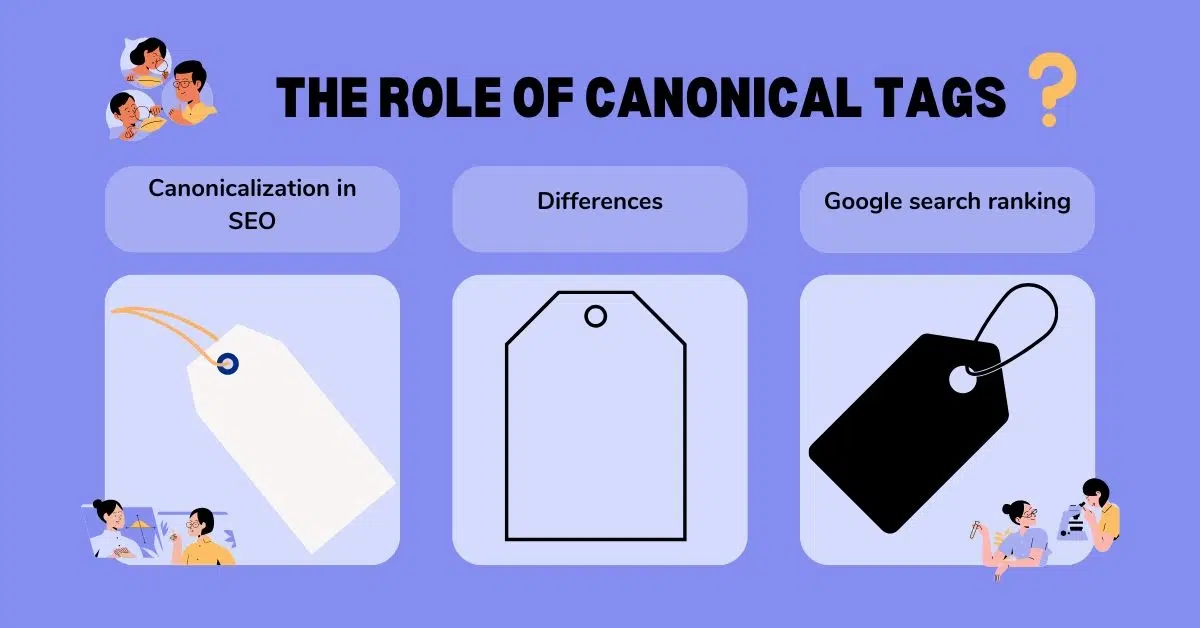
    The Role of Canonical Tags

    Canonicalization in SEO is a technique used by website administrators to designate one specific URL or web page as the authoritative source for all of their content.

    You may notify search engines that one version of the material is more authoritative than any other, and that any changes made to that version are just incremental improvements. Because of this, canonicalization should be a component of your content strategy and site administration. 

    You would have no say regarding which URL the search engine displays in relevant results if canonicalization didn’t exist. You inform search engines that a URL with a canonical tag is the original content and should be displayed in search results. While search engines have the option to disregard this canonical tag, it is widely believed that canonicalization is a practical method for handling duplicate material.

    Here’s a practical example to help illustrate: You find yourself on an online shoe store’s website, perusing the selection. Sorting the results by price allows you to quickly find shoes within your budget by displaying the priciest alternatives first. While you’re doing this, you’ll see that the page’s URL is changing. Updated from https://example.com/shoes to https://example.com/shoes?price=high (thanks, Google).

    Could you please tell me whether this is the same page or a new one? On one hand, it seems like the same page—the top shoe-related text block is still there, the header and footer are identical, and the sidebar filter choices are also same. Perhaps the same shoes will appear on the page even in a different sequence.

    However, due to the unique URL, search engines like Google see it as an entirely separate page. The result is what search engine optimization experts term “duplicate content”: two pages on this website that contain exactly the same information.

    For the owner of the website, this presents a challenge. Google will choose only one page to display in search results since showing both would be less useful to users. If Google selects a different page than the one the website owner wants (or if the owner wants a different page than Google), what then?

    Canonization, a lofty term for a simple idea, comes into play here. This is a technique for dealing with duplicate material that lets search engines know which page should be considered the primary or “canonical” version.

    With respect to content syndication and republishing across many domains, Google previously advised utilizing the canonical tag.

    Canonical tags were revised in May 2023 in Google’s support manual. It currently reads:

    Canonical tags are no longer meant to link relevant material across many sites or syndicated information on the broader web; instead, they should only be used to identify preferred URLs inside a single domain.

    Some think that the rel=”canonical” element may do more than just inform Google which URL to display in search results. it can also transmit signals for ranking from a particular page to another.To prevent syndication partners from duplicating your work, you should avoid using the canonical link element.

    Differences between canonical tags and redirects

    To choose the most desired version of a page from a collection of identical or nearly identical pages, developers employ canonical tags. Crawlers from search engines may use this information to better index and display content on search engine results pages.

    Canonicalization vs 301 Redirects

    To tell visitors and Google and other search engines to go to another URL, you may employ redirects, which are HTTP status codes. The 301 redirect is a way to permanently move the requested resource to a different version of your site.

    Canonical tags are often used for websites that utilise UTM parameters, for items that fall into more than one category, and for dynamic URLs that are created dynamically.

    When transferring a website’s URLs to a different domain, 301 redirects are often used. Additionally, you may use them to reroute people to an alternative page after a deleted one. When your website has many URLs but you only want people to see it via one of them, a 301 redirect is a lifesaver.

    A 301 redirect will immediately send visitors to the new URL, even while canonical tags make both sites accessible. While 301 redirects are configured on the server side, canonical tags are inserted in the <head> section. Canonical tags also condense link juice to the chosen URL, but 301 redirects convey to the search engines that the modification is permanent and send all of the SEO value toward the new URL.

    301 redirect or canonical tag?

    Canonical tags and redirects both tell search engines which versions of a website to index and display on Google search ranking . but they serve different purposes.

    The redirect tells search engines to permanently change the URL structure of a website from one URL to another. We recommend using canonical tags. What this implies is that they provide a suggestion as to whatever version of the website should appear on search engine results pages. However,  Google may simply ignore this command.

    Assume that Pages A and B are quite similar. Both have almost the same material. You choose to make Page A the preferable version and add a canonical tag to Page B to indicate this. 

    Still, Google sees that your sitemap includes Page B. More internal connections are heading to it, as well as more backlinks and better interaction. Page B might still get more Google attention in this scenario, despite what your canonical tag says.

    With 301 redirects, this does not occur. Search engine crawlers permanently delete the redirected page in the index and transfer the link equity they have accumulated to the newly moved page after obtaining the redirect signal. 

    Addressing Duplicate Content Issues

    Duplicate content in SEO refers to the same or similar material on several web pages, either inside or across websites. Search engines work hard to provide visitors with varied and relevant results. but duplicate information may make that goal more difficult to achieve. When search engines find duplicate information, they must select which version to show, which may dilute rankings and confuse consumers.

    If a website has duplicate material, its search engine optimization (SEO) performance could suffer. Search engines could have trouble prioritizing results when they discover several pages with identical material. This might cause the search engine to provide results for only one version, while other versions go unnoticed. This may lower the site’s organic rating, which in turn lowers traffic and reduces its presence in SERPs.

    How do you handle duplicate content in SEO?

    Search engine optimisation (SEO) specialists and webmasters have a potent weapon in the canonical tag to combat duplicate content. In this essay, we will go more into canonical tags.

    How canonicalization helps in managing duplicate content

    When used properly, canonical tags may greatly enhance a website’s efficiency and provide several benefits in the field of Search Engine Optimisation (SEO). Among the many benefits of Canonical Tags are the following:

    Enhanced Visibility in Search Results

    With Canonical Tags, you can tell search engines the version of your information is the best and most authoritative by specifying it. Whenever search engines come across duplicate material, they merge ranking signals and attribute equity to the version that has been designated as the canonical one. This merging improves the canonical page’s chances of rising in search engine rankings, which boosts its visibility and organic traffic.

    Ranking Signals and Link Equity Consolidation

    Multiple versions of a website disperse inbound links and ranking signals. By channeling these signals into the canonical version, canonical tags increase search engines’ confidence in it. To boost the favored page’s SEO worth, it’s helpful to link equity consolidation. 

    Improving the User Experience

    By using canonical tags, you can guarantee that people will see the most up-to-date and reliable version of a website. Reduced duplication and improved user satisfaction are the outcomes that users will get when they search for information thanks to the preferred version. As a result, conversion rates, engagement, and bounce rates may all go up.

    Keeping Problems With Duplicate Content at Bay

    Search engines might get confused when they see duplicate material, which can lead to poor rankings, inefficient indexing, and wasted crawl costs. Assuring that search engines comprehend the connection between various content versions and give preference to the canonical version, canonical tags assist in efficiently addressing duplicate content concerns.

    Controlling URLs that change and have parameters

    There are a lot of websites that use dynamic URLs. This allows users to provide different parameters and produce different copies of the same information. By designating the canonical URL, you may manage parameter changes and dynamic content, aid search engines in locating the preferable version, and prevent duplicate content issues using canonical tags.

    Keep Your Backlinks Worth More

    Negative effects on link popularity and search engine optimization might occur when other websites connect to duplicate material. Canonical tags allow you to boost the canonical version’s link profile by directing incoming link value to it.

    Enhanced Content Syndication

    With Canonical Tags, websites may show where their content came from when syndicated to other platforms or partners. This keeps the original material from being outranked by syndicated versions.

    Efficiently Managing Pages

    If your site has pagination problems, you may fix them by using canonical tags. These tags tell search engines how each page in your site relates to the primary content. This may consolidate their SEO worth onto the primary text while preventing duplicate content concerns on paginated pages.

    Implementing Canonical Tags

    Let’s walk through how to add canonical tags to your websites.

    Initial Step: Locate Content That Is Similar to or Duplicate

    The first step in using canonical tags is to find all of the material that is same or very similar on your website. Some examples of this are many versions of the same site or URLs that use query parameters to access the same content. To identify such cases, do a comprehensive analysis of your website.

    Step 2: Select the Version You Prefer

    Finding the desired version of the page follows the detection of duplicate or related material. You should aim for search engines to index and rank your preferred version. When deciding which version is best, keep usability, relevancy, and content quality in mind.

    Step 3: Place the Canonical Descriptor

    Once the preferable version has been determined, the canonical tag should be included in the HTML code of any other sites that are duplicates or identical. Positioned inside the <head> element of your HTML code, the canonical tag notifies search engines of the URL of the recommended version.

    Make use of this structure: HTML codeCopy <link rel=”canonical”href= “https://www.example.com/preferred-page” You should use the canonical page’s URL instead of https://www.example.com/preferred-page.

    Stage 4: Check and Double-Check

    Testing and verifying the functioning of the canonical tags is vital to guarantee their accurate implementation. Several approaches are at your disposal for this purpose:

    a) Checking by Hand: Locate and double-check the canonical tag in the HTML code of the identical or duplicated sites.

    b) get and Display: Make use of webmaster tools like Google Search Console to get and display the sites that have canonical tags. This makes it more likely that search engines will properly understand the tags.

    c) Indexing Status: Keep an eye on the preferred versions and the duplicate pages’ indexing status using the tools provided by the search panel. Make that their indexing patterns are consistent and free of inconsistencies.

    Stage 5: Keep an Eye on Things and Make Any Necessary Updates

    After adding the canonical tags, you should check how your site is doing and fix it if needed. To make sure you get what you want, monitor things like rankings in search engines, traffic, and indexing behaviors. In addition, you should implement canonical tags as necessary and monitor your website for new occurrences of duplicate or identical material.

    Common mistakes to avoid

    Technical SEO includes canonical tags, which are within your full control but may be tricky to work with in certain cases. Incorrect canonicalization may cause search engine display problems and, unsurprisingly, poorer ranks. The worst thing is that mistakes may go unrecognized for a long period.

    • Rel = canonical & Mobile Versions

    People sometimes make the mistake of using a canonical tag to reference their own mobile URL variations. The right approach is to use a canonical tag that redirects traffic from mobile to desktop and a rel-alternate tag that reverses the direction of traffic from desktop to mobile.

    • Customizing the Canonical Tag to Include Superfluous Information

    Resolving problems with duplicate material is the primary goal of the canonical tag. Use it with caution if you want to use it to rank individual web pages for various keywords; it will underperform. Google will find a way to beat you.

    You may canonicalize one version of an article or piece of content if you believe there are two very comparable ones. For instance, “The history of laptops” and “How Laptops Came to Life”. However, it’s usually a good idea to redirect the less reliable version towards the better one. You may even merge them into one powerful URL.

    • Establishing canonical chains

    If you want to use the href property to link to a certain page, make sure it doesn’t include a canonical tag directing to the same page or another one.

    Assume for the moment that https://site.com/phone/iphone12/ is the URL of the web page you want to canonicalize. 

    Here is the URL you want to make canonical: https://site.com/iphone12/. 

    So, the canonical elements already included:

    <link rel=”canonical” href=”https://site.com/phone/apple/iphone12/” />

    Because it generates a canonical chain, this usage of canonical is flawed.

    Search engines are likely to view the final page in this chain, https://site.com/phone/apple/iphone12/, to be canonical. Stick to designating a single canonical page if you value search engine optimization.

    • Non-canonicalized URLs in internal links

    Search engines will have an easier time crawling your site if all of your internal links go to the main version. At times, Googlebot may index the invalid URL version if linked to your non-canonical site, notwithstanding your canonical tag. 

    • Relying on hreflang rather than canonical

    “Canonical” tags instruct Google to index just one specific version of a page. To remind search engines to index all versions of a website, hreflang tags let them know that the same page exists in many formats. The reason for this is because their target audience consists of individuals from many locations and/or languages.

    This error may cause indexing problems, inappropriate language/regional targeting, and search bot misunderstanding.

    • Making use of the “noindex” tag, restricting the web page by editing the robots.txt file, and making use of the canonical tag

    It is not recommended to utilize canonical tags in conjunction with the “noindex” tag or robots.txt prohibit. Using all of these properties at once sends conflicting signals to Google since they all have distinct functions. 

    As a result, you’re effectively contradicting Google’s ranking of the two web pages by using one feature to indicate one is more essential than the other. On the other hand, you may urge Google to give other sites more weight while hiding the page with the noindex tag.

    Canonicalization and Site Architecture

    he way your site is structured affects how visitors and search engine crawlers traverse it and locate the material that meets their requirements. Poorly structured sites make it hard for visitors to discover relevant material and may even cause search engine crawlers to overlook certain pages. 

    While building your site, you may use a variety of tactics and best practices to highlight your core content and improve your search engine results. Canonicalization is the process of designating certain material as main and instructing Google to ignore or downplay other types of content.

    By using canonicalization, site owners may protect themselves from penalties that might result from producing duplicate material. Google can correctly index your site without negatively impacting the user experience if you tell it to disregard some material and focus on other pages.

    Best practices for large websites and e-commerce platforms

    Having established canonical tags’ significance, we may go on to discuss their efficient usage. Keep your e-commerce website strong and focused on users by following these practical guidelines and best practices:

    Carefully Select Your Canonical URLs

    Before doing anything else, choose which URLs will serve as the canonical versions. The best product pages are the ones that are both detailed and easy to use. 

    If a product page is available via both the “New Arrivals” and the “Best Sellers” categories, you may want to make the “Best Sellers” URL the canonical one as it’s more likely to be useful to users over time.

    Maintain coherence

    Do not stray from your selected canonical URLs after you have made them. Whether you’re creating a sitemap or just using these URLs for internal links, be consistent.

    Take note that any internal links referring to this product should use the canonical URL you’ve selected, rather than the ‘New Arrivals’ version.

    Avoid Canonical Chains

    In a canonical chain, the canonical version of Page A is referenced by Page B, which in turn references Page C, and the process continues thereafter. This seems like an endless round of tags.

    All pages should instead lead readers straight to the definitive, authoritative version.

    If, for some reason, tracking settings cause you to possess multiple URLs for a single product, you should not have URL A pointing to URL B and URL B pointing to URL Canonicalization. The correct syntax would be for URLs A and B to both go to URL C.

    Employ absolute URLs

    According to Google’s John Mueller, when you define your canonical tags, be sure to include the whole URL, which includes http:// /  https:// element. This eliminates any possibility of misunderstanding.

    Self-Canonicalise

    Google Search Advocate John Mueller recommends self-referential canonical since it gives the search engine a crystal clear idea of the page you want indexed and the correct URL to utilize for indexing.

    Sometimes, even if you just have one page, there are other URL variants that can still access it. Take parameters as an example; they may be of any case, including uppercase and lowercase, www and non-www, and so on. A rel canonical tag may help tidy up all of these things.

    Keep in mind that canonical tags aren’t an all-inclusive solution. They are a resource for improving your site’s visibility in search engine results. Making good use of them will lead to an eCommerce site that is easier for search engines to index and rank.

    URL Canonicalization Techniques

    Examples of Effective URL Canonicalization:

    website vs. non-www:

    Choose between canonicalizing to www and non-www and using 301 redirects. To illustrate:

    Standard: https://www.example.com/page

    Redirect: https://example.com/page 

    HTTP vs. HTTPS:

    Perform 301 redirects and canonicalize to the secure version. To illustrate:

    Canonical: the URL for the page on example.com

    This is a redirect, not a link. The URL for the page on example.com

    Sorting Query Strings:

    Make sure that the ordering of query parameters remains constant. To illustrate:

    Canonical: At the URL: https://www.example.com/page?param1=value1&param2=value2.1

    This page is non-canonical: https://www.example.com/page?param2=value2&param1=value1.

    Canonical Tags:

    Implement canonical tags into the HTML head element. An example would be:

    <link rel=”canonical” href=”https://www.example.com/page” />

    To prevent duplicate content problems, consolidate ranking signals, and let search engines realize which version of your URLs is preferable, you may use these URL canonicalization approaches.

    Canonicalization and Link Equity

    The concept of link equity, sometimes known as “link juice,” refers to the notion that authority and reputation are shared when one website connects to another, hence increasing the SEO value of both sites. For the sake of clarity: To construct a broad and relevant backlink profile, which in turn improves a site’s reputation, search engine optimizers employ this function to connect high authority, contextual connections from reliable, established domains.

    Both inbound and outbound connections contribute to link equity. The quality of backlinks is often evaluated by looking at link-building factors including page strength, topic relevance, and anchor text. Google also uses links and a plethora of other ranking indicators to decide where results appear in search results.

    How canonicalization affects link equity and authority

    In search engine optimization, link equity is a key consideration. Link equity is not a factor that search engines use when deciding a page’s ranking or where it appears in SERPs. You may use it to learn about and track how well your site is doing in search engine rankings.

    While link equity may seem to be nothing more than a vanity statistic, it really incorporates a number of criteria; hence, you can track your progress toward improving these metrics and compare them to your site’s total rankings to determine the impact.

    Making high-quality content, taking part in link exchanges, acquiring connections from authoritative websites, and improving internal links are all ways to boost link equity. Search engine optimization (SEO) experts may boost their exposure and search engine ranks by building link equity.

    Links inside a page may also aid in building link equity by transferring value from one location to another. Search engine optimization (SEO) specialists may raise their website’s visibility in search engine results pages (SERPs) by learning about link equity and how to boost it.

    Strategies for preserving link equity with canonical tags

    Choosing which page should be considered canonical isn’t always best accomplished using the canonical tag. One example is the 301 redirect, which Google suggests utilizing instead of a duplicate page when deprecating it.

    For users, the main distinction between the two is that with a 301 redirect, they will never view the original page they were attempting to access. For example, if they clicked on a color-specific product URL, the canonical tag will redirect them to that URL regardless of whether it’s canonical or not.

    How are 301 redirects distinct from the others? A 301 redirect, as contrast to a 302 or 307 redirect, informs search engines that the page in issue has been relocated permanently. A 302 or 307 redirect, on the other hand, means that the page is temporarily located under a different domain.

    When a page uses a 301 redirect, almost all of its link equity (about 95 percent) goes to the new page.

    Maintaining link equity in this manner may have a substantial influence on a site’s authority and search engine results. Redirects (302, 307) and others are no longer punished explicitly, but it still takes Google a while to figure out that the redirect is permanent and start giving link equity as a result.

    It is also possible to use 301 redirects in lieu of 404 pages when the situation calls for it. Take a 301 redirect as an example: it points to a non-existent website about bespoke shoes that used to get a lot of traffic but is now completely dead.

    By rerouting traffic to an up-to-date website for personalized apparel, you can be certain that Google will index the right page. Be careful to direct them to the most appropriate alternate website at all times.

    For an improved user experience, think about implementing bespoke 404 pages if you determine that a 404 page is more suitable (for example, for a URL that never worked or had little traffic).

    Canonicalization in Mobile SEO

    If your website consistently performs badly in search engine results, you need to improve the search performance in today’s mobile-driven environment. Mobile-first indexing is a must in this case.

    Website owners should prioritize developing a mobile-responsive design to accommodate Mobile-First Indexing. Because slow-loading sites may discourage mobile visitors and impact search engine results, mobile performance optimization is equally vital. Website owners should also think about the technical parts of mobile-first indexing, such making sure the content is consistently available on mobile and desktop versions, using redirects correctly, and using canonical tagging.

    Handling canonicalization in responsive and adaptive designs

    By using responsive and adaptable design principles, websites may be made to work seamlessly across a wide range of devices, from desktop computers to tablets and smartphones. The key to successful mobile SEO with canonicalization is making sure search engines can tell the difference between your content versions. These are a few rules of thumb:

    Mobile Responsive Design

    To improve search performance using Mobile-First Indexing, Mobile Responsive Design is essential. Responsive websites allow their design, content, and functionality to change without breaking a sweat, especially when viewed on smaller screens like smartphones and tablets.

    One aspect of mobile responsive design is the use of CSS media queries, flexible images, and fluid grid layouts to make the site adapt to different screen sizes and resolutions. Doing so guarantees that the website displays and functions correctly across a wide range of mobile devices as well as desktop computers and other bigger displays.

    Accessible URLs on Any Device:

    Make sure that the structure of the URL remains the same on all devices. Because of this, search engines can better grasp the interdependencies across versions.

    One approach is to keep the URL the same across all devices and platforms, and then use CSS media queries to dynamically change the layout according to screen size.

    Apply canonical tagging:

    To specify which version is preferred, you may add a canonical tag to the HTML header. This comes in handy when dealing with dynamic serving or distinct mobile URLs (like m.example.com).

    Try to avoid mobile-only URLs

    Although m.example.com and other mobile-only URLs were popular in the past, Google now favors responsive design. To ensure correct canonicalization, utilize different URLs for mobile.

    Hreflang for Sites with Multiple Languages and Regions:

    If your site provides material in more than one language or area, you may help search engines understand the connections between the various versions by using hreflang annotations and canonical tags.

    Pagemap for Mobile Devices

    Make sure your XML sitemap includes mobile URLs. This may improve the efficiency with which search engines index and index your mobile material.

    Search Console for Monitoring

    If you notice any problems with crawl failures, canonicalization, or mobile content, be sure to check Google Search Console often.

    Ensuring Accuracy

    To make sure your mobile sites are being displayed properly and that canonicalization is configured correctly, use Google’s Mobile-Friendly Test tool.

    Monitoring and Auditing Canonical Tags

    Achieving success in search engine optimization requires regularly auditing canonical tags. Before you index and crawl a page, you should verify that it contains a canonical tag and that it goes to the right location.

    Examining the page’s source code is the simplest approach to audit canonical tags. Choose “view source” from the context menu or, on Chrome, use the “developer tools” button. Your source code should now be accessible. Check for the presence of a rel=”canonical” tag in the <head></head> section.

    Another free and easy SEO toolbar from Moz can reveal if a page has a canonical tag.

    Alternatively, you might do mass audits of pages using your SEO tools. You may audit your website for canonicalization errors with the use of many tools such as- 

    • Google Search Console
    • Screaming Frog SEO Spider
    • Sitebulb
    • SEMrush
    • Moz Pro
    • Ahrefs
    • DeepCrawl
    • Yoast SEO (WordPress Plugin)
    • Ryte (formerly OnPage.org)
    • Varvy SEO Tool

    Regular Auditing Practices For Canonicalization

    For best SEO results, it’s important to evaluate your canonical tags for a variety of things. Consider this checklist:

    • Source view: Identify Canonical tags from the HTML source code. You can get the source code for a page in most browsers by right-clicking on it or by typing it into the URL bar.
    • Examine the Structure of URLs: You should check for differences in your website’s URL structure that might cause duplicate content difficulties. Common problems include parameter differences, trailing slashes, and uppercase vs. lowercase characters.
    • Criteria for URLs: Make sure that URL parameters are regularly used. And ensure that extraneous parameters are eliminated if your website makes use of them. 
    • Check for Redirects:Check to see that redirects are working right. 
    • Examine Internal Links: Maintain a consistent practice of directing internal links to the canonical version of each page. This includes links in the footer, sitemaps, and navigation menus.
    • Maintaining Reliability on Interactive Websites: If your website makes use of dynamic content, ensure that canonical tags are set up dynamically according to the current URL.
    • Canonical Tags and Pagination: You may show the connection between pages with paginated information by using the rel=”prev” and rel=”next” elements. Additionally, make sure that the canonical tags are correctly set for text that is paginated.
    • Using HTTP Header: Be sure to look in the request headers for the Link header that has the rel=”canonical” property.
    • Robots.txt File: Find out whether the robots.txt file prevents vital sites or canonical URLs from being accessed by reviewing it.

    Future of Canonicalization in SEO

    Best practices for search engine optimization are more important than ever before due to the rapid rate of change in the digital marketing environment. One such strategy that is often disregarded by both marketers and webmasters is the implementation of canonical tags. Ignoring this seemingly insignificant aspect of search engine optimization might have far-reaching consequences by 2024. With canonical tags, also known as rel=”canonical” links, webmasters may make it very obvious to search engines which version of a website they want to index and show in search results. In the absence of these tags, website owners run the danger of encountering several problems that might diminish their exposure and online presence.

    Emerging trends and future outlook

    Lack of canonical tags might lead to a disjointed user experience. Users will anticipate an uninterrupted online experience more than ever before by 2024, and they will be more likely to leave a site if they encounter any confusion while viewing its material. Particularly problematic for e-commerce sites is the possibility of consumer misunderstanding and missed purchases due to improper canonicalization of product pages. Proper canonicalization, which ensures clarity and consistency, will be an essential part of any SEO strategy in this day of intense online competition and short user patience.

    How to stay updated with SEO best practices regarding canonicalization

    It is essential to keep yourself informed about canonicalization and other SEO best practices if you want your website to remain productive. To keep yourself updated, consider the following:

    • If you want to stay up-to-date on SEO best practices, you should follow prominent websites and blogs.
    • Join emails given out by trustworthy SEO resources. 
    • On social media sites like Facebook, LinkedIn, and Twitter, many SEO specialists provide helpful updates and insights. You can keep up with the newest developments in the SEO field by following prominent figures, experts, and organizations.
    • Participate in online groups and forums where search engine optimization experts share advice and tools. 
    • Stay up-to-date on all the latest canonicalization and SEO news by subscribing to Google Alerts.

    Conclusion

    To improve the user experience, consolidate link equity, and manage duplicate content, you need to maintain canonicalization in SEO. It lets users direct search engines to a page’s main version, which is essential for search engine optimization. Optimizing a website and its on-page SEO relies heavily on canonical tags.

  • Importance of Visual Search and SEO Strategies

    Importance of Visual Search and SEO Strategies

    Are you ready to jump into the era of visual search – where a picture is worth more than a thousand words? Then, this blog is dedicated to you. In this comprehensive guide, we’ll delve into the fascinating world of visual search technology and its profound impact on user behavior and business success. 

    From understanding how visual search works to unlocking the potential of visual search SEO strategies, we’ll equip you with the knowledge and tools needed to thrive in this visual-first digital landscape.

    So, whether you’re a business owner, digital marketer, or SEO professional, buckle up as we embark on a journey to harness the power of visuals and elevate your online presence like never before. Let’s dive in!

    What is Visual Search and How Does it Work?

    Have you ever wondered what that cool plant in your neighbor’s yard is called, or wanted to find a shirt that matches those amazing boots you just bought? 

    Well, thanks to visual search technology, you can ditch the text descriptions and use the power of your phone’s camera to find what you’re looking for!

    Visual search is like having a magic magnifying glass for the digital world. Instead of typing keywords, you simply take a picture or upload an image, and a search engine helps you find similar items, identify objects, or even answer your burning questions about what’s in the photo.

    Visual search isn’t just about finding the exact same thing. It can also help you discover similar styles, explore new products, or even get buying recommendations based on your image search.

    So, how does this visual wizardry work? It all boils down to two key technologies:

    Image recognition:

    This is like teaching a computer to see. Advanced algorithms analyze the pixels and colors in your image to understand what it depicts. Imagine a million tiny detectives examining your picture, figuring out if it’s a cat, a flower, or something else entirely!

    Machine learning: 

    This is where things get even more impressive. Machine learning allows visual search engines to constantly learn and improve. The more images it processes, the better it gets at recognizing objects, understanding context, and making connections between your photo and relevant search results.

    What Are the Visual Search Tools?

    Now that you know the secret of how visual search works, let’s explore some popular visual search tools you can use right now:

    Google Lens:

    Built into many Android phones and accessible through the Google app, Lens lets you point your camera at an object and instantly get information about it. Need to know that exotic fruit’s name at the grocery store? No problem!

    Bing Visual Search: 

    Microsoft’s answer to Lens, Bing Visual Search, allows you to upload an image or use your webcam to search for similar products, places, or landmarks.

    Pinterest Lens: 

    This visual search tool is a dream come true for design enthusiasts. Snap a picture of anything stylish – a dress you love, a home decor masterpiece – and Pinterest Lens will show you similar products or design inspiration.

    The Impact of Visual Search on User Behavior

    In the past, you might have struggled to describe these things in a text search. But thanks to visual search, finding what you’re looking for is becoming as easy as snapping a picture!

    Visual search is revolutionizing the way users, especially those on mobile devices, interact with search engines. Here’s how it’s impacting user behavior:

    1. Seeing is Believing: A Visual Approach to Information

    Sometimes words just don’t cut it. Visual search caters to users who prefer a more intuitive way to search for information. Instead of painstakingly typing out descriptions, they can simply use a picture to get what they need. 

    This is particularly helpful for things that can be visually complex or difficult to describe with traditional keywords, like identifying a specific plant species or a unique fashion item.

    2. From Inspiration to Purchase: The Power of Visual Search for Shopping

    Ever seen something you love and instantly wanted to buy it (or something similar)? Visual search takes the guesswork out of online shopping. 

    With features like product image search, you can upload a picture of an item you like and find similar products from various retailers. This can be a game-changer for businesses. 

    Because it allows them to reach potential customers who might not have found them through traditional text-based searches.

    3. The Rise of the “See-and-Tell” Shopper: Visual Search and Similar Styles

    Visual search isn’t just about finding the exact same thing. It also excels at helping users discover new favorites. Imagine you see a stunning dress online but want to explore different styles or colors. Visual search tools can recommend similar styles based on the image you provide.

    This “see-and-tell” approach to shopping allows users to explore their options visually, leading to a more engaging and personalized shopping experience.

    4. The Voice-Visual Search Connection: A Multi-Sensory Search Experience

    The rise of visual search is closely linked to the growing popularity of voice search queries. Think about it: if you can search for information using your voice, why not use an image? 

    Many visual search tools integrate with voice assistants, allowing users to seamlessly switch between voice and visual search depending on the situation. This multi-sensory approach to search is becoming increasingly popular, especially on mobile devices.

    SEO Strategies for Visual Search Optimization

    In the age of instant gratification, captivating visuals are no longer a luxury – they’re a necessity. People are increasingly turning to visual search to find information and make purchases. 

    But how can you ensure your website is discoverable in this new visual landscape? The answer lies in visual search optimization (VSEO)!

    VSEO is all about making your website’s images work for you. Here are some key strategies to get you started:

    1. Picture Perfect: The Power of High-Quality Images

    Your images need to be visually appealing and relevant to your content. Think of high-resolution photos that showcase your products, services, or brand identity in the best possible light. 

    Grainy, blurry images will not only turn users away but also hinder your visual search rankings.

    2. Size Matters: Balancing Image Quality with Loading Speed

    There’s a balance to strike between image quality and loading speed. Large, high-resolution images might look stunning, but they can slow down your website, leading to frustrated users and a potential drop in search engine ranking.

    Image optimization tools can help you compress your images without sacrificing too much quality. Aim for a happy medium that delivers a visually pleasing experience while ensuring fast loading times.

    3. Speak the Language of Search Engines: Optimizing Image Names and Descriptions

    Search engines can’t “see” your images the way humans do. That’s where descriptive file names and alt text come in. Instead of generic names like “image001.jpg,” use clear and concise descriptions that include relevant keywords related to your content.

    Alt text, especially, plays a crucial role. This short description tells search engines (and screen readers for visually impaired users) what your image is about. Think of it as a mini billboard for your image, using relevant keywords naturally woven into a complete sentence.

    4. Building a Sitemap for Your Images: The Power of Image Sitemaps

    Just like you have a sitemap for your website pages, you can also create a sitemap specifically for your images. An image sitemap is an XML file that tells search engines where your images live on your website and provides additional information about them.

    Benefits of Implementing Visual Search SEO Strategies

    We’ve explored the rise of visual search and how it’s transforming user behavior. Now, let’s talk about the real payoff: the benefits of implementing visual search SEO (VSEO) strategies for your business.

    Boosting Your Online Visibility

    Imagine your website appearing at the top of search results, not just for text queries but also for visual searches! VSEO helps your website climb the search engine ladder through the power of optimized images. 

    When users search for products or information related to your offerings, your visually compelling content has a greater chance of appearing in their results. This translates to increased organic traffic and more potential customers finding your brand.

    Enhancing User Experience

    In today’s fast-paced world, users crave a smooth and engaging online experience. VSEO goes beyond just ranking well. By incorporating high-quality, relevant images throughout your website, you’re providing users with a more intuitive way to navigate your content. 

    Take it as a visual storytelling experience that keeps users engaged and coming back for more.

    Building Brand Recognition and Product Discovery

    The power of visual search goes beyond simply finding information. It’s a gateway to brand discovery. By optimizing your product images with relevant keywords and captivating visuals, you’re essentially creating mini-advertisements within your website.

    This not only increases brand awareness but also helps potential customers discover products they might not have found through traditional text searches. Imagine someone searching for “boho living room ideas” and stumbling upon your stunning furniture images – that’s the magic of VSEO!

    So, are you ready to see VSEO in action? Many businesses across industries are reaping the rewards of a well-executed VSEO strategy. 

    For example, a furniture company saw a significant increase in online sales after optimizing product images with detailed descriptions and using long-tail keywords related to interior design styles.

    And yes, VSEO is not just a trend; it’s a powerful tool for businesses of all sizes to reach new audiences, improve user experience, and ultimately drive sales. 

    If you incorporate the strategies outlined in this series, you can transform your website into a visual magnet, attracting customers and propelling your brand to new heights in the age of visual search!

    Conclusion

    In conclusion, the way we search for information is undergoing a dramatic shift. Visual search is no longer a futuristic concept; it’s a reality that’s changing user behavior and influencing purchasing decisions. 

    Those days are gone when we used to struggle with text descriptions – users are increasingly turning to the power of images to find what they need.

    As a business owner or marketer, ignoring visual search is like leaving an untapped goldmine. So, if you know how to work with visual search SEO (VSEO) strategies in your overall digital marketing plan, you can reap many benefits.